Photo to coloring page converter
made for families, kids and pets

Turn any photo into a coloring page.

Turn a photo into clean coloring-page line art while keeping the face, pose and details that make it yours.

Your own photo
3 useful looks
Age-adjusted detail
Download as PNG
1 Upload a photo
Drop your photo here or click to browse JPEG, PNG, WebP up to 10MB
2 Coloring difficulty · Balanced · Ages 6–9
EasyBalancedDetailed
Clear outlines with enough detail to stay recognizable and comfortable spaces to color.
3 Choose a look · optional
Add a theme optional

Sign in to use your 2 free generations.

AI DEMO
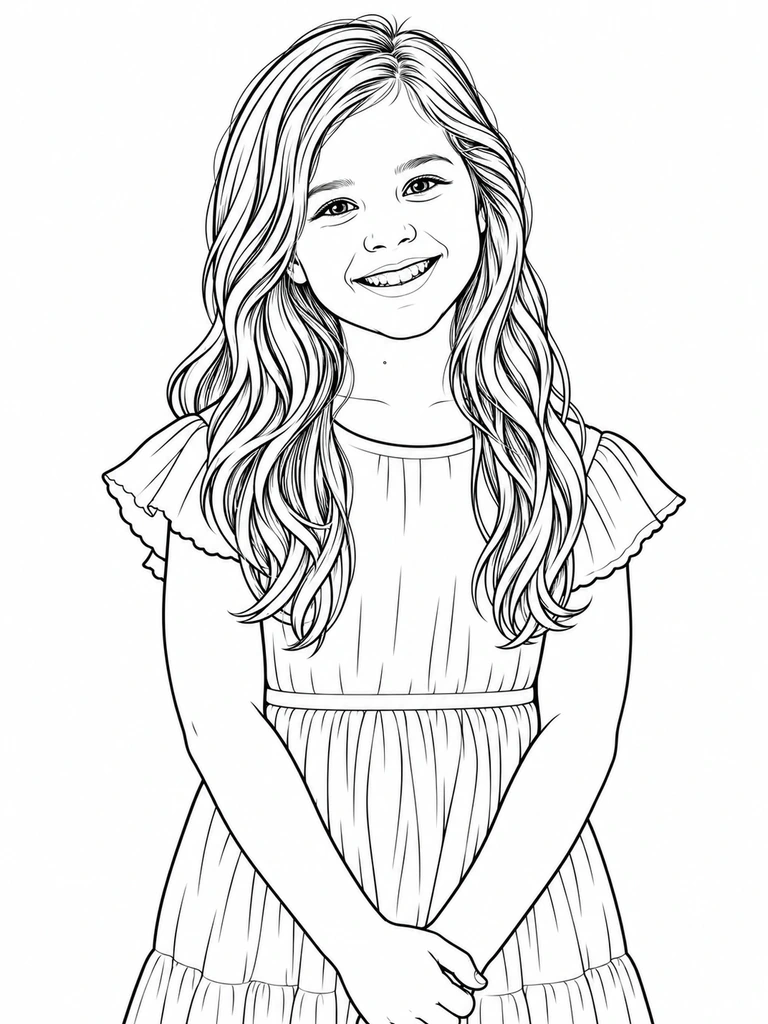
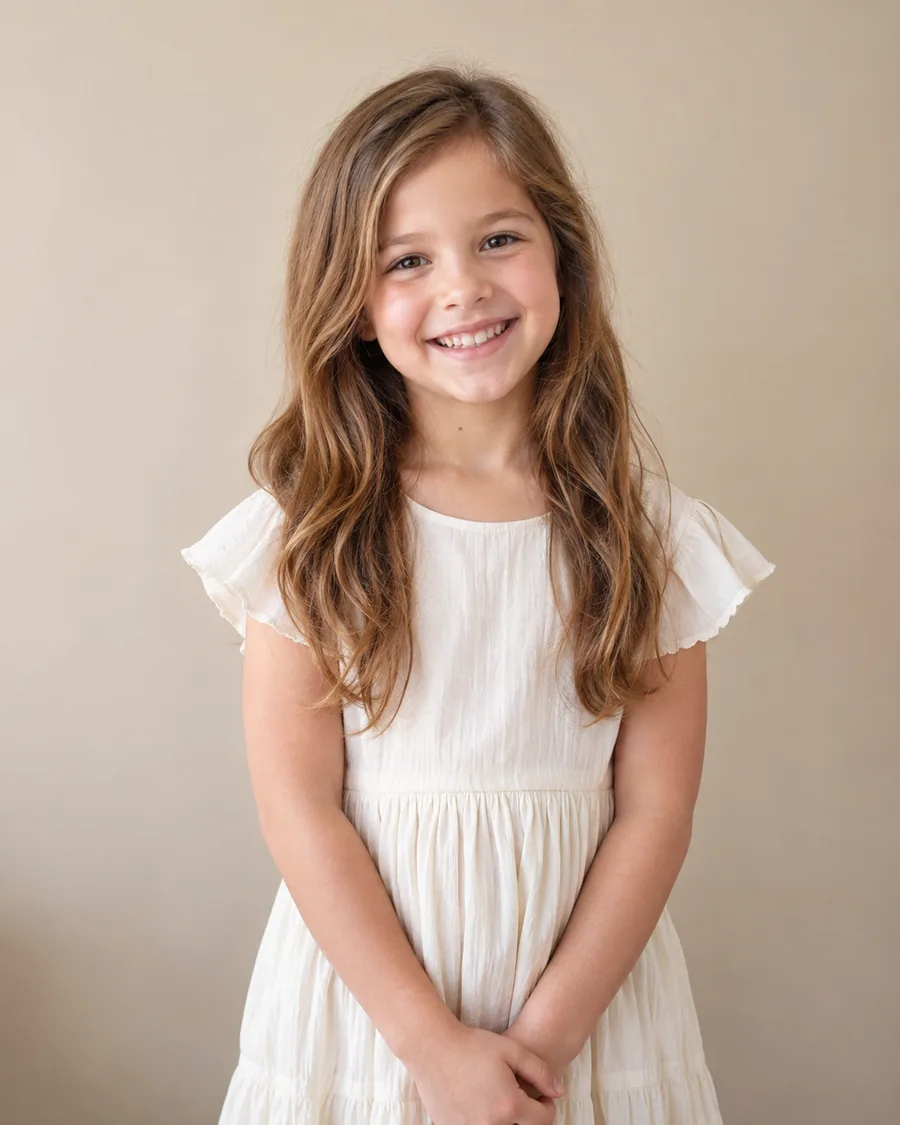
AI-generated demo portrait photo Demo portrait converted into a coloring page Photo Coloring page
Drag the handle to compare · AI demo photo → real API result

How to turn a photo into a coloring page

No drawing or editing software needed. Start with one photo and shape the result for the person who will color it.

1

Upload your photo

Choose a clear portrait, pet photo or family moment in JPEG, PNG or WebP format.

2

Pick the difficulty

Use fewer, bolder shapes for little hands or keep finer detail for older children and adults.

3

Choose a look

Stay true to the original, simplify the outlines or create a more playful cartoon result.

4

Compare and download

Drag across the preview to compare it with your photo, then download the coloring page as a PNG.

What makes a photo conversion worth coloring?

A good result is more than a black-and-white filter. It needs to feel familiar, print clearly and match the colorist's ability.

01

Recognizable people and pets
Preserve the face, expression, pose and defining details instead of replacing them with a generic character.

02

Open spaces that accept color
Remove photographic noise and muddy shading so crayons and pencils have clear areas to fill.

03

The right detail for the age
A preschool page needs bold, simple shapes; an adult page can reward more patient, intricate coloring.

Coloring pages for one connected audience: families

Every use below starts with a familiar person, pet or memory and ends with something a child or family can color together.

Pets & pet memorials

Turn your dog or cat into a page the kids can color — or a keepsake to remember one you've lost.

Family portraits

Turn a favorite family photo into a shared activity that still looks like the people in the picture.

Kids' birthday packs

Make a set of party-favor pages of the birthday kid — printed, folded, handed out at the table.

Grandparent keepsakes

Use a clear old family photo to make a personal page for grandparents and children to color together.

Personal gifts

Make a one-of-a-kind coloring page from a photo, then print and add your own handwritten message.

Classroom activities

Turn familiar faces, school objects or field-trip photos into coloring activities children recognize.

Choose coloring detail by age

The same photo should not become the same page for every person. Start with the age, then adjust after the first preview.

Ages 3–5

Easy

Thicker outlines, fewer small areas and generous white space for crayons and developing motor skills.

Ages 6–9

Balanced

Enough detail to recognize the subject, with shapes that remain comfortable to fill with pencils or markers.

Ages 10+ and adults

Detailed

Finer lines preserve more clothing, hair and background features for longer, more focused coloring sessions.

Simple one-time packs, no subscription

Create an account to try the converter with 2 free generations. Paid packs are the planned launch model and will become available after checkout is connected.

Available in this test

Free test

$0
Test the current model on your own photo
  • Test conversion available now
  • Three practical looks
  • Standard PNG download
One-time purchase

Family pack

$14.99 / 100 pages
About $0.15 per page · best value
  • 100 conversion credits
  • Higher-resolution PNG downloads
  • Built for repeat family projects

Account login and 2 free generations are available now. Paid packs shown here are proposed pricing; checkout is not connected yet.

Photo to coloring page questions

What kind of photo works best?

One clear subject, decent lighting, and some separation from the background. Pets, single portraits, and close-ups turn out cleanest. Very busy or dark photos come out noisier — try Bold & simple if that happens.

How do I turn a photo into a coloring page?

Upload a JPEG, PNG or WebP photo, choose an age-appropriate detail level and one of the three looks, then select Convert to coloring page. When the result finishes, compare it with the original and download the PNG.

Will the result still look like the person or pet?

True to photo is designed to preserve identity, expression, pose and important details. AI can still simplify or alter features, so compare the preview and try another version if the likeness is not strong enough.

Which detail level should I choose?

Easy works best for ages 3–5, Balanced for ages 6–9, and Detailed for older children and adults. These are starting points rather than strict rules.

Can I turn a pet photo into a coloring page?

Yes. A well-lit dog or cat photo with a visible face and a simple background usually gives the model the clearest information to preserve.

Can I print the result?

You can download the current result as a standard PNG and print it. Higher-resolution downloads are planned for paid packs but are not connected in this test version.

How long does a conversion take?

Most conversions take around a minute, but processing time can vary with provider demand and the complexity of the photo.

What happens to my uploaded photo?

Your photo is sent to our image-processing provider to create the result and is not added to a public gallery. Exact storage and retention terms will be published before launch.

Do I have to subscribe?

No subscription is planned. The proposed paid options are one-time packs for people who want more conversions after the free trial.
Your next keepsake is one photo away.

Upload one clear photo and see what the people or pets you love look like as colorable line art.